Section 1: Payment History
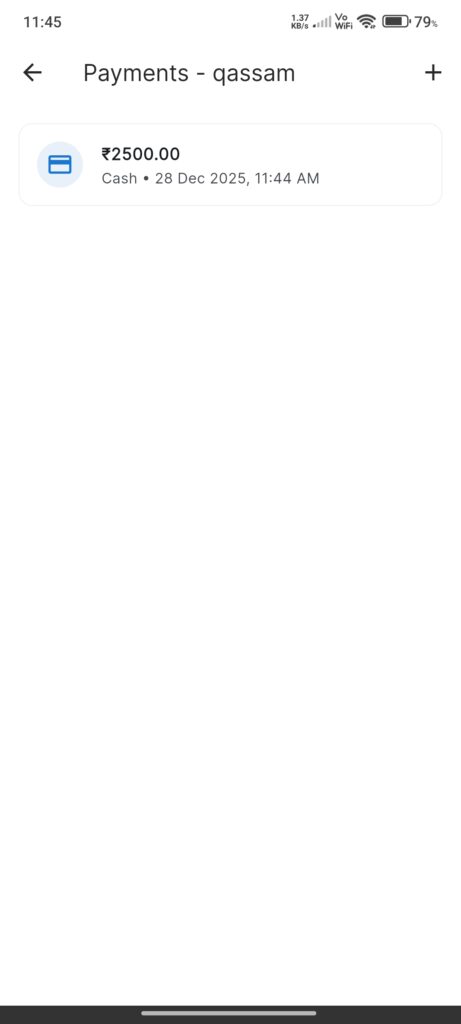
Screen: `CustomerPaymentHistoryScreen`
Purpose: View ledger of payments received from the customer.
- List: Cards showing Amount, Date, Payment Mode, and Notes.
- Interactions: Scroll to view history.
Section 2: Add Payment
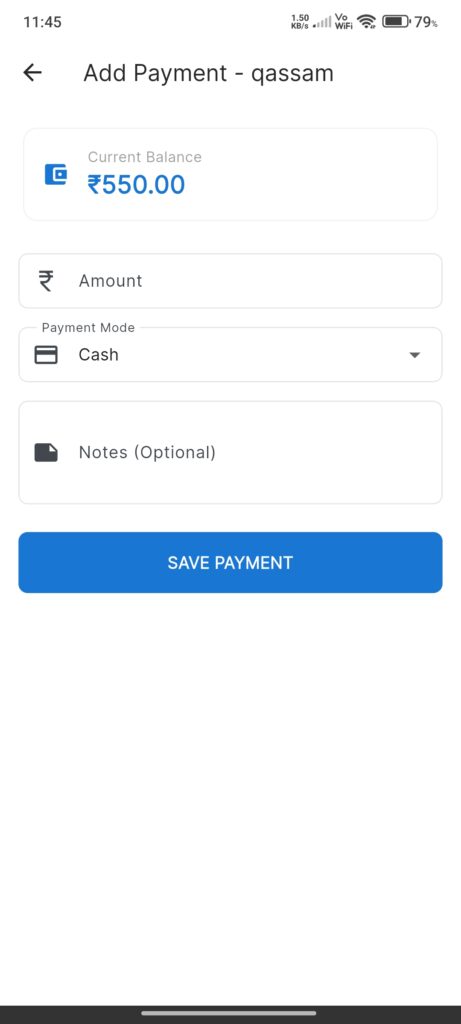
Screen: `AddCustomerPaymentScreen`
Purpose: Record a new payment (settling debt or adding credit).
Widgets:
- Current Balance: Prominent display of what is owed/owned.
- Amount Input: Value to record.
- Payment Mode: Dropdown (Cash, Card, UPI, Bank Transfer).
- Notes: Optional remarks.
Interactions
- Save Payment: Updates customer balance and adds record to history.