Purpose
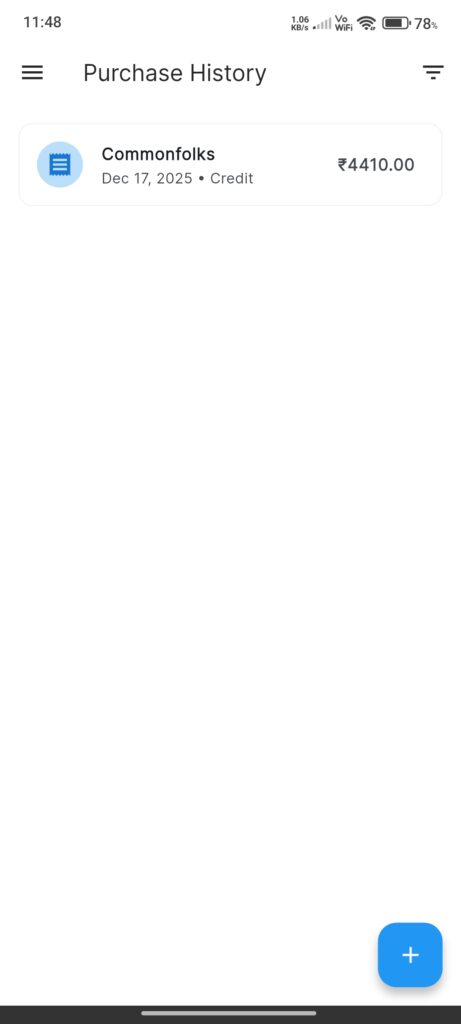
The Purchase History Screen lists all recorded stock purchases. It allows users to view, filter, and add new purchases.
Widgets
- Distributor Filter: Filter list by specific distributor.
- Date Range Filter: Filter by start and end dates.
- Purchase List: Scrollable list of purchase cards showing:
- Distributor Name
- Date & Payment Method
- Total Amount
- Add Purchase Button: Floating action button (+) to navigate to `PurchaseEntryScreen`.
Interactions
- Tap Purchase: Opens `PurchaseDetailsScreen` for the selected item.
- Tap + Button: Navigate to `PurchaseEntryScreen`.
- Filter: Tap filter icon -> Select options in dialog -> Apply to refresh list.