Purpose
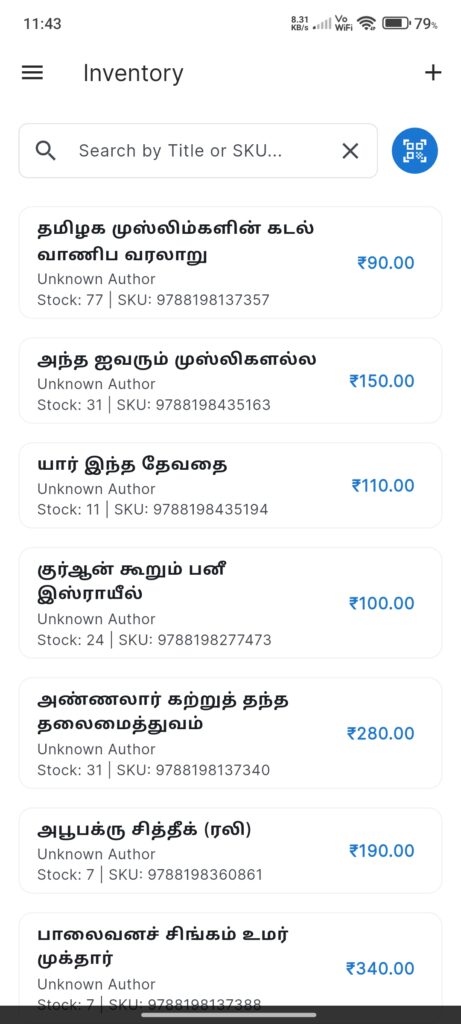
The Inventory Screen manages the catalog of books available in the shop. It allows searching, scanning, and managing book details.
Widgets
- Search Bar: Search books by Title or SKU.
- Scan Button: Quick access to barcode scanner.
- Book List: Cards displaying:
- Title & Author.
- Stock Quantity & SKU.
- Price (in accent color).
- Add FAB: Floating button to add a new book manually.
Interactions
- Tap Book: Opens `AddEditBookScreen` to edit details.
- Scan Barcode: Scans a book’s barcode to finding it or prompting to add it (via `AddEditBookScreen` pre-filled).
- Search: Real-time filtering of the book list.