Purpose
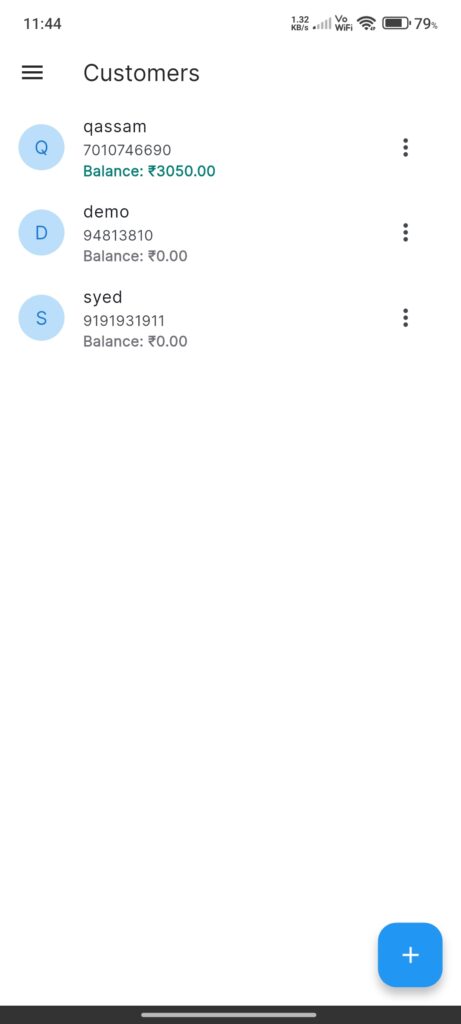
The Customer List Screen manages a directory of customers. It provides quick access to their balances, history, and payment options.
Widgets
- Customer List: Display items showing:
- Avatar (Initial letter).
- Name & Phone.
- Balance: Color-coded (Green for positive/credit, Grey/Neutral for zero).
- Context Menu (Three dots):
- Payment History: View past transactions.
- Add Payment: Record a payment received.
- Edit: Modify details.
- Delete: Remove customer (if no blocking dependencies).
- Add FAB: Create a new customer.
Interactions
- Popup Menu: Primary way to access actions for a specific customer.
- Pull-to-Refresh: Updates list from server.