Purpose
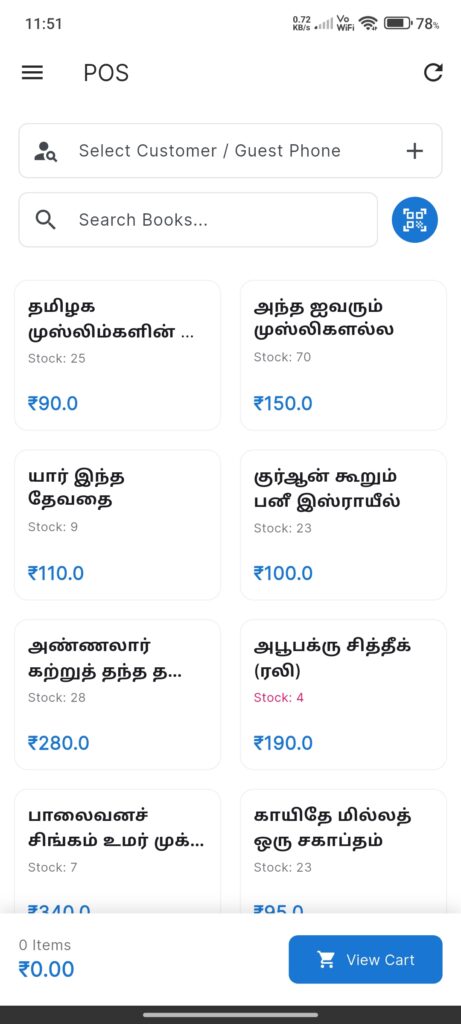
The POS Screen is the primary interface for selling books to customers. It is designed for speed and efficiency.
Widgets
- Customer Section:
- Customer Search/Select dropdown.
- Guest Phone input (if no customer selected).
- Product Search: Text input and Barcode Scanner button.
- Product Grid:
- Grid of available books.
- Cards show Title, Stock Level, and Price.
- Cart Summary (Bottom Bar):
- Total Items Count.
- Total Amount.
- View Cart button.
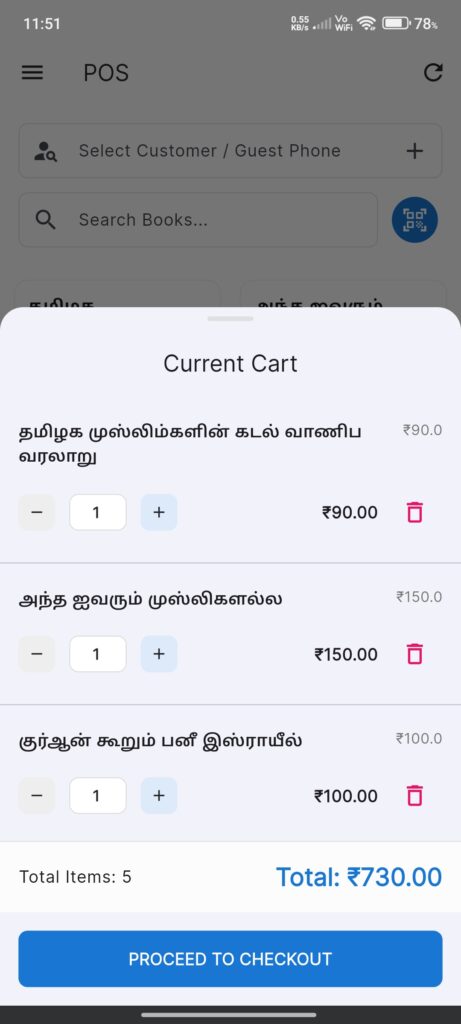
- Cart Bottom Sheet:
- List of selected items.
- Quantity steppers.
- Proceed to Checkout button.
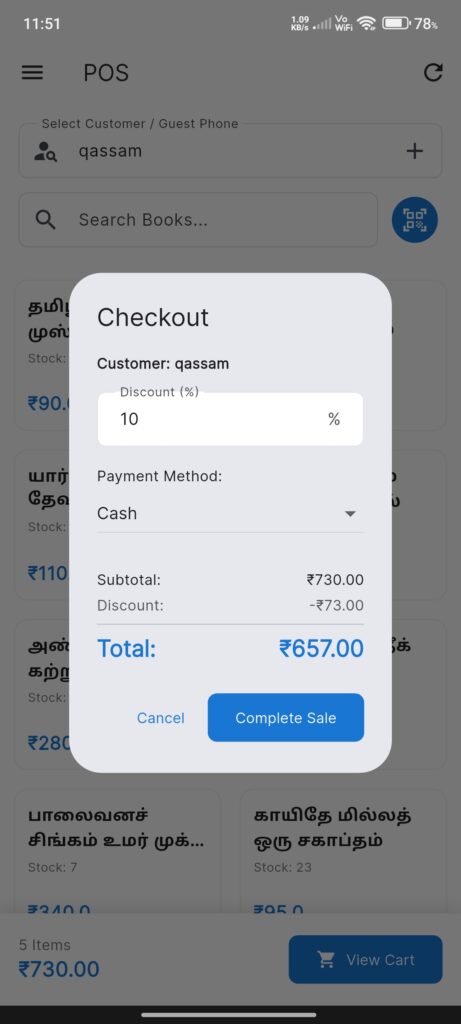
- Checkout Dialog:
- Payment Method selection.
- Received Amount input.
- Change to Return calculation.
Interactions
- Select Customer: Optional. Search or select from list.
- Add Items:
Tap a book card to add 1 unit.
Scan a barcode to add/increment.
Search by text to filter grid. - Manage Cart:
Tap View Cart.
Adjust quantities or remove items. - Checkout:
Tap Proceed to Checkout.
Select Payment Method.
Confirm transaction. - Completion:
Success dialog appears.
Options to Print or WhatsApp receipt.